
Introduction
Managing spreadsheets manually is time-consuming. Writing complex nested formulas, cleaning messy data, and setting up macros can take hours out of your workweek. Fortunately, modern AI tools can handle Excel formulas, automate repetitive workflows, and analyze datasets in seconds—even if you don’t know VBA or Python.
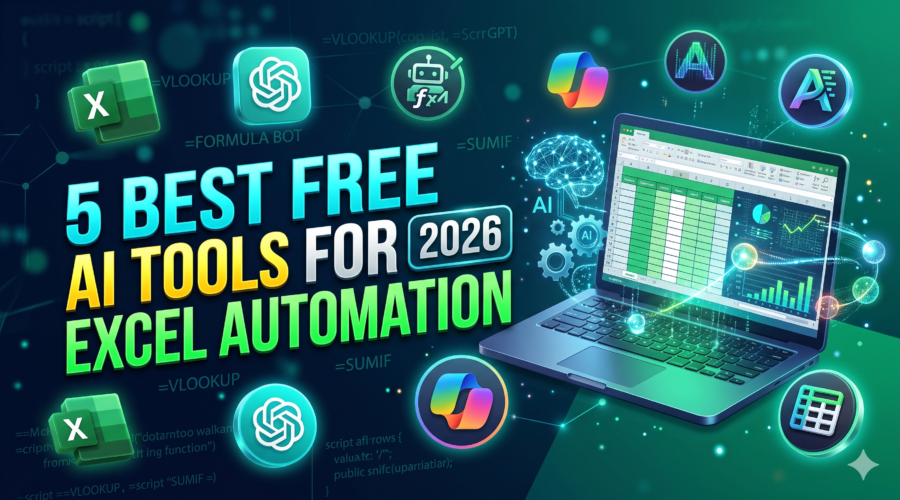
Here are the 5 best free AI tools for Excel automation that will streamline your workflow.
1. Formula Bot (Formerly Excel Formula Bot)
Formula Bot is one of the most reliable AI assistants designed specifically for spreadsheet users. It translates simple plain-text instructions into complex Excel and Google Sheets formulas.
- Key Features:
- Converts plain English into Excel/Google Sheets formulas.
- Explains existing complex formulas so you can understand errors.
- Supports basic data analysis and formula generation via chat.
- Pricing: Free tier available (limited requests per month); paid plan for unlimited access.
- Best For: Beginners who struggle with nested
VLOOKUP,INDEX/MATCH, or complex logical formulas.
(Tip: Yahan Formula Bot ka ek screenshot add karein jahan text se formula generate ho raha ho)
2. Microsoft Copilot for Excel (Web & Add-in)
If you already use Microsoft 365, Copilot integrates natively inside Excel. It allows you to analyze data, summarize key trends, and generate formula-based columns automatically.
- Key Features:
- Direct sidebar integration within Excel sheets.
- Generates pivot tables and charts using natural language prompts.
- Highlights trends and creates calculated columns instantly.
- Pricing: Requires a Microsoft 365 setup, but basic web preview features and natural language queries can be accessed free via Microsoft Edge Copilot side panel.
- Best For: Users already working inside the Microsoft Office ecosystem.
3. ChatGPT (Free 4o Mini / GPT-4o Tier)
Standard ChatGPT remains one of the fastest and most versatile tools for handling Excel tasks. You can paste sample data directly into the chat and ask it to clean, format, or write specific formulas.
- Key Features:
- Writes complete VBA scripts and macros for one-click automation.
- Debugs
#N/A,#VALUE!, and syntax errors instantly. - Formats unstructured text data into clean CSV tables ready for Excel import.
- Sample Prompt to Try:“I have a column with full names and emails mixed together. Write an Excel formula to extract only the email address into a separate column.”
- Pricing: Free.
- Best For: Generating custom VBA macros and debugging broken formulas.
4. Ajelix
Ajelix is a dedicated productivity platform built to speed up spreadsheet tasks. It includes tools for formula generation, translation, and automated spreadsheet tasks.
- Key Features:
- Excel Formula Generator and Explainer.
- VBA Script Generator without requiring coding knowledge.
- Google Apps Script builder for cloud sheets.
- Pricing: Generous free plan for basic monthly usage.
- Best For: Users who need both Excel formulas and VBA scripts in one place.
5. Rows.com (AI-Powered Spreadsheet Alternative)
If you are open to using a modern spreadsheet tool, Rows integrates built-in AI models directly into spreadsheet cells. It connects to external APIs and automates lead generation, social media metrics, and web scraping.
- Key Features:
- Built-in AI functions (
=AI(...)) directly inside spreadsheet cells. - Summarizes datasets and enriches data with one click.
- Native integrations with Google Analytics, LinkedIn, and Stripe.
- Built-in AI functions (
- Pricing: Free plan includes unlimited shared spreadsheets and generous AI execution limits.
- Best For: Marketers and modern teams looking to automate data imports without manual copy-pasting.
Quick Comparison: Which Tool Should You Pick?
| Tool | Primary Use | Free Plan Available? | Best Feature |
| Formula Bot | Formula Generation | Yes (Limited) | Plain English to Formula |
| Microsoft Copilot | Deep Data Analysis | Limited / Preview | Native Excel UI Integration |
| ChatGPT | VBA Macros & Debugging | Yes | Handles complex custom prompts |
| Ajelix | VBA & Formula Builder | Yes | No-code script writing |
| Rows | API & Automated Sheets | Yes | Built-in =AI() cell functions |
Frequently Asked Questions (FAQ)
Can AI write VBA macros in Excel safely?
Yes, tools like ChatGPT and Ajelix can generate clean VBA code. However, always test the macro on a duplicate copy of your workbook first before running it on your primary data file.
Do I need coding experience to automate Excel with AI?
No. These tools rely on natural language processing, meaning you only need to describe what you want in plain words (e.g., “Calculate the average sales for Q3 where region is North”).