

Published: September 7, 2026
Artificial intelligence is no longer limited to answering questions or generating simple text. In 2026, AI tools are increasingly being used to organize tasks, summarize information, research topics, draft content, manage meetings and automate repetitive workflows.
The biggest productivity opportunity is not simply using more AI tools. It is choosing the right AI tool for the right task.
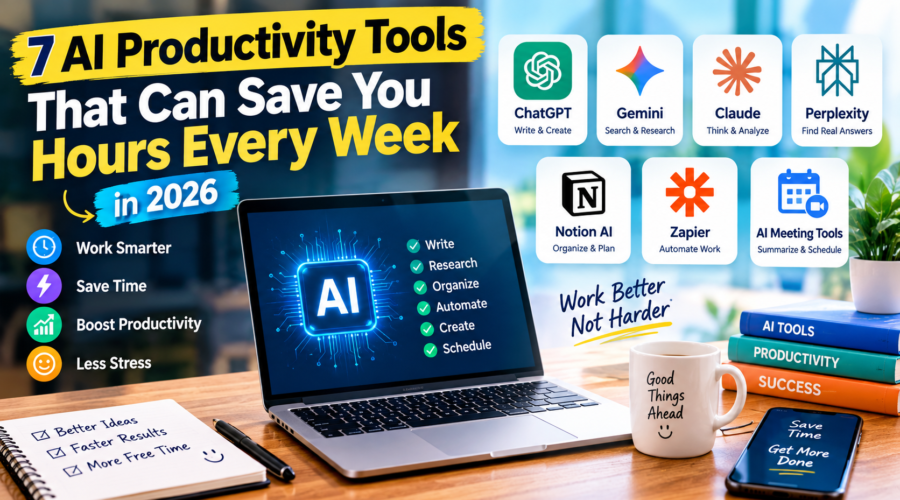
Recent 2026 productivity-tool reviews include AI assistants such as ChatGPT, Claude and Gemini, research tools such as Perplexity, workspace tools such as Notion AI, and automation platforms such as Zapier.
For freelancers, students, creators, small-business owners and office workers, the right combination can reduce repetitive work and leave more time for tasks that require human judgment and creativity.
Here are seven AI productivity tools worth exploring in 2026—and practical ways to use them.
1. ChatGPT — Your General-Purpose AI Assistant
ChatGPT can be useful for a wide range of everyday productivity tasks, including brainstorming, writing, summarizing, planning and problem-solving.
Instead of treating an AI assistant as a simple search box, think of it as a digital work partner that can help turn a vague task into a structured plan.
How to use ChatGPT for productivity
Start with a specific goal.
For example, instead of writing:
“Help me with my work.”
Try:
“Create a three-day work plan for completing a website article, social media posts and email newsletter. Prioritize the tasks and give me a realistic schedule.”
You can also use AI to:
- Turn rough notes into an organized document
- Create article outlines
- Summarize long text
- Brainstorm content ideas
- Rewrite emails
- Generate checklists
- Explain complicated topics
- Create project plans
- Analyze information you provide
Productivity tip
Give the AI context, goal and format.
A useful prompt structure is:
Context + Task + Requirements + Output format
This generally produces more useful results than a one-line prompt.
2. Google Gemini — Useful for Google-Centered Workflows
For people who already work heavily inside Google’s ecosystem, Gemini can be particularly useful for productivity workflows involving documents, email, research and other Google services.
AI productivity comparisons published in 2026 commonly position Gemini as an option for people who rely heavily on Google Workspace.
How to use Gemini
You can use an AI assistant to help with tasks such as:
- Drafting emails
- Organizing ideas
- Summarizing information
- Creating outlines
- Brainstorming
- Analyzing text
- Preparing documents
- Planning projects
For example, you might ask:
“Turn these meeting notes into three sections: decisions, action items and unanswered questions.”
The important advantage is not simply generating text. It is converting unstructured information into something you can act on.
Productivity tip
Use AI after collecting information.
Instead of asking AI to guess what happened during a project, provide the relevant notes and ask it to organize them.
That reduces the risk of missing important details.
3. Claude — Great for Long-Form Writing and Deep Work
Claude is another AI assistant that can be useful for writing, coding, analysis and longer documents.
Current AI productivity guides commonly include Claude among the leading tools for writing and general-purpose AI assistance.
How to use Claude
Claude can help when you need to work with larger amounts of text.
For example, you could provide:
- A project brief
- Meeting notes
- A long article
- A research document
- Product information
- A draft report
Then ask it to organize the information into a specific structure.
Example prompt
“Review these notes and create a clear article outline with an introduction, five main sections, conclusion and FAQs. Keep the tone professional and easy to understand.”
You can then review the outline and make corrections before turning it into a final article.
Productivity tip
Don’t ask AI to produce the final answer immediately.
For important work, use a three-step process:
Research → Structure → Draft
This gives you more control over the final result.
4. Perplexity — Faster AI-Assisted Research
Research can consume a significant amount of time, especially when you need to compare multiple sources.
Perplexity is designed around AI-assisted search and research and is frequently included in 2026 productivity-tool comparisons as a research-focused option.
How to use Perplexity
Instead of searching for dozens of pages individually, start with a specific research question.
For example:
“What are the major AI productivity trends in the United States in 2026? Compare recent sources and identify the most important developments.”
The results can help you identify:
- Important facts
- Relevant sources
- Recent developments
- Different viewpoints
- Follow-up questions
Productivity tip
Never blindly publish AI-generated research.
Open the important sources, verify dates and numbers, and check whether the original source actually supports the claim.
AI can speed up research, but verification remains your responsibility.
5. Notion AI — Turn Notes Into Organized Information
Many people collect information but struggle to organize it.
Notion AI can help combine notes, documents, tasks and knowledge-management workflows in one workspace.
AI productivity reviews in 2026 continue to highlight Notion and similar knowledge-management tools as useful for organizing information and documentation.
How to use Notion AI
You can create a workspace for a project and keep:
- Ideas
- Research
- Tasks
- Meeting notes
- Content plans
- Documentation
- Deadlines
Then use AI to help summarize or restructure the information.
For example:
“Summarize these project notes and turn the important points into a checklist.”
Productivity tip
Create one central workspace for each major project.
Instead of keeping information scattered across emails, notes and random documents, organize the important information in one place.
6. Zapier — Automate Repetitive Work
Automation can provide some of the biggest productivity improvements because it can reduce repetitive manual steps.
Zapier is widely used for connecting applications and automating workflows, and its 2026 AI productivity coverage emphasizes orchestration and automation across many apps.
Imagine a simple workflow:
New form submission → save information → notify team → create task → send confirmation
Instead of performing every step manually, an automation platform can connect the applications involved.
How to use Zapier
Start with one repetitive process.
For example:
When a new lead arrives:
- Capture the lead
- Add it to your database
- Create a follow-up task
- Notify the appropriate person
- Send a confirmation email
You can gradually add AI-based steps where they make sense.
Productivity tip
Don’t automate everything immediately.
First document the process manually.
Then identify the repetitive steps.
Finally, automate the parts that are predictable and low-risk.
7. AI Meeting and Scheduling Tools — Reduce Administrative Work
Meetings and scheduling can consume a large amount of working time.
AI-powered meeting assistants and scheduling tools are becoming another major category in productivity software. Current 2026 tool reviews include products focused on meeting transcription, task automation and AI scheduling.
Tools in this category can help with tasks such as:
- Meeting transcription
- Summarizing conversations
- Identifying action items
- Organizing follow-ups
- Managing calendars
- Scheduling tasks
- Prioritizing work
For example, an AI meeting assistant can turn a long conversation into a shorter summary containing:
Key decisions
Action items
Assigned responsibilities
Next steps
That can make it easier to move from discussion to execution.
Productivity tip
Don’t use AI meeting tools simply because they are available.
Use them when they solve a real problem, such as missing action items or spending too much time writing meeting notes.
How to Build Your Own AI Productivity System
You don’t need seven different subscriptions to become productive with AI.
In fact, using too many tools can create another problem: tool overload.
A better approach is to choose tools based on your actual workflow.
Step 1: Identify Your Biggest Time-Waster
Ask yourself:
What repetitive task takes the most time every week?
It could be:
- Writing emails
- Research
- Meeting notes
- Scheduling
- Data entry
- Content creation
- Customer support
- Project management
Start there.
Step 2: Choose One AI Tool
Don’t install ten AI applications at once.
Choose one tool that directly addresses your biggest problem.
For example:
Writing → AI assistant
Research → AI search tool
Meetings → AI meeting assistant
Automation → Workflow automation platform
Project management → AI workspace
Step 3: Create a Repeatable Workflow
The real productivity gain comes when you create a process you can repeat.
For example:
Research → AI summary → Human verification → Draft → Human editing → Publish
This is much more useful than randomly asking AI questions throughout the day.
Step 4: Keep Human Review
AI tools can produce incorrect information, misunderstand instructions or generate convincing but inaccurate content.
Recent workplace guidance around AI use emphasizes the importance of human oversight, verification and judgment, particularly for important or sensitive work.
For important content, always verify:
- Names
- Dates
- Numbers
- Statistics
- Quotes
- Sources
- Financial information
- Legal information
- Medical information
AI should accelerate your workflow—not remove your responsibility.
Common AI Productivity Mistakes
Mistake 1: Using Too Many Tools
More tools don’t automatically mean more productivity.
Start with one or two tools.
Mistake 2: Giving Bad Prompts
If your instructions are vague, the output may also be vague.
Explain exactly what you want.
Mistake 3: Trusting AI Without Checking
AI-generated information can contain errors.
Always verify important facts.
Mistake 4: Automating a Bad Process
Automation doesn’t fix a broken workflow.
First improve the process manually.
Then automate it.
Mistake 5: Sharing Sensitive Information
Think carefully before putting confidential business, financial or personal information into an AI system.
Review the tool’s privacy and data-handling policies before using it for sensitive work.
The Best AI Productivity Strategy for 2026
The biggest mistake is thinking that productivity means making AI do everything.
The better strategy is to let AI handle repetitive, structured and time-consuming tasks, while humans remain responsible for judgment, creativity, strategy and important decisions.
A simple AI productivity system might look like this:
AI assistant → thinking and drafting
AI search → research
AI workspace → organization
Automation → repetitive tasks
Meeting AI → summaries and action items
Human → verification and final decisions
That combination can create a much more efficient workflow without turning your entire working day over to AI.
Final Thoughts
AI productivity tools are becoming increasingly practical in 2026.
The best tools are not necessarily the ones with the longest feature lists. The most useful tool is the one that solves a specific problem in your daily workflow.
Whether you need help writing, researching, organizing projects, managing meetings or automating repetitive work, there is now an AI-powered option for almost every major productivity category.
But remember one important rule:
Use AI to save time, not to stop thinking.
Start with one repetitive task, choose one suitable AI tool, build a repeatable workflow and keep human review in the process.
That is the practical way to make AI work for you in 2026.
FAQs
What are the best AI productivity tools in 2026?
Popular AI productivity options include ChatGPT, Claude, Gemini, Perplexity, Notion AI, Zapier and AI-powered meeting or scheduling tools. The best choice depends on the task you need to improve.
Can AI really improve productivity?
Yes. AI can reduce repetitive work such as drafting, summarizing, organizing information and automating workflows. However, the actual benefit depends on how well the tool fits your workflow.
Which AI tool is best for research?
Perplexity is one option designed around AI-assisted search and research. Other general-purpose AI assistants can also help with research when combined with source verification.
Which AI tool is best for writing?
ChatGPT and Claude are widely used for drafting, rewriting, brainstorming and long-form writing. Your choice should depend on your workflow and the type of writing you need.
How can beginners start using AI for productivity?
Start with one repetitive task. Choose an AI tool that addresses that task, create a simple workflow and check the results before using them professionally.
Is it safe to automate everything with AI?
No. Important workflows should retain human oversight. Sensitive information and high-impact decisions require additional care, verification and appropriate privacy controls.
What is the biggest AI productivity mistake?
Using too many tools without a clear purpose. Start with the biggest productivity problem in your workflow and choose the simplest tool that solves it.